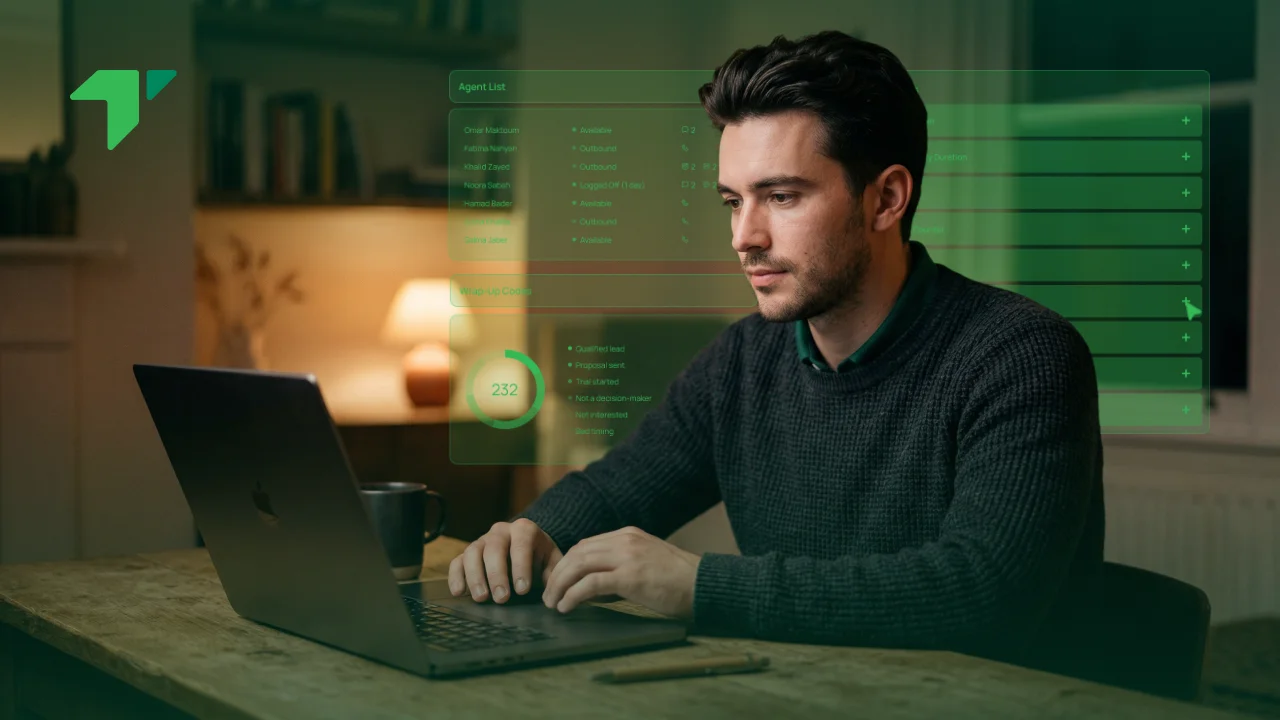



An agent opens a browser, signs in, and takes a call. No handset, no software installed, no plugin, nothing for IT to deploy.
That is WebRTC doing its job, and the reason it matters is less about the technology than about what it removed: the entire apparatus that used to stand between a new agent and their first conversation.
What WebRTC is
WebRTC is a group of browser capabilities letting audio, video and data travel directly between a browser and another endpoint, without any additional software.
The standard behind it
Two bodies own it jointly. The W3C published WebRTC 1.0 as a Recommendation on 26 January 2021, alongside several accompanying IETF standards, after years of collaboration between the two organisations.
Two properties from that announcement matter commercially. The framework is deployed as a royalty-free feature in browsers and other platforms, and setting up secure audio and video communication became native to the browser, removing the need to install plugins or download separate applications.
Royalty-free is the quieter of those. Nobody pays a licence fee for the underlying capability, which explains much of how quickly browser calling spread.
Openness matters for a second reason. Because the specification is public and implemented independently by several browser makers, no single vendor controls it, and a platform built on it is not dependent on one company’s roadmap.
The specification itself is published openly, and the W3C recommends its wide deployment as a standard for the Web, with working group members committed to royalty-free licensing for implementations. It handles connection setup across firewalls and network address translation, media exchange between endpoints, and arbitrary data transfer alongside.
Those three jobs sound technical and have a practical consequence. Getting a call through a corporate firewall used to require network changes and sometimes an argument with IT; the standard includes mechanisms that handle it without either.
What it replaced
Before it arrived, in-browser calling meant plugins. Users downloaded something, IT approved it, and every browser update risked breaking the arrangement.
Alternatives were worse. Desktop softphone clients needed installing on every machine, which created work each time somebody joined or a laptop was replaced. Physical handsets needed buying, configuring and shipping.
None of those problems exist now, and their absence is the whole story. A contact center can put an agent on calls in the time it takes to open a tab and sign in.
The change happened quietly, and many buyers have therefore never heard the term despite using it daily. Any browser-based agent interface almost certainly runs on it, as do most video meeting tools people join through a link instead of an application.
Adoption followed a familiar pattern internationally. Video conferencing and collaboration tools across North America and Europe moved first, this category followed, and the capability is now assumed rather than advertised. A Gulf operation buying today inherits settled technology instead of something emerging, which is a comfortable position to be in.
Why WebRTC matters for contact centers
Five consequences follow from that, and they compound.
Onboarding stops being a project. New agents need a browser, a headset and credentials. Seasonal hiring, sudden volume spikes and short-term campaigns all become practical when equipping somebody takes minutes.
Geography stops mattering. An agent in Manila, Karachi or a spare room in Sharjah reaches the same platform through an ordinary tab. For Gulf operations running mixed onshore and offshore teams, that removes the awkward question of how to equip people in another country, and the remote contact center setup covers how published lines and agent location come apart.
The agent works in one place. Because the call lives in the browser, it sits alongside the customer record, the queue view and everything else. No switching between a handset and a screen, which sounds minor and shows up in how much of a conversation somebody actually retains.
Supervisors benefit from the same arrangement. Monitoring a live call, whispering to an agent or joining a conversation all happen through the same interface, with nothing to install on a manager’s machine either.
Channels come together. Voice, video and screen sharing run on the same foundation, so a support conversation can become a video call without anybody changing tools. Whether your customers want that is a separate question worth asking honestly.
IT workload drops. Updates arrive with the browser rather than through a deployment cycle, and there is no client to patch across a hundred machines.
Cost follows from several of those at once. No handsets to buy, no client licences to manage per device, and considerably less of somebody’s time spent equipping people. For a team that grows and shrinks seasonally, the saving is larger than any per-user comparison suggests.
Continuity improves as well. An agent whose laptop fails can sign in on another machine and keep working, which is difficult when their extension lives in a device on a desk.
| Desk phone | Desktop softphone | WebRTC | |
| To equip an agent | Buy, configure, ship | Install, configure | Sign in |
| Works remotely | Rarely | Yes | Yes |
| IT deployment | Per device | Per machine | None |
| Updates | Firmware | Client patching | With the browser |
| Depends on | Network | Machine and network | Browser and network |
Video deserves a note of caution rather than enthusiasm. The capability exists and costs little to switch on, and whether customers want it is genuinely uncertain outside a few sectors. Field service, insurance claims and high-value retail have found real uses; most support lines have not, and building a video strategy because the technology permits it is the wrong order.
Worth noting what does not change. WebRTC moves the call between the agent and the platform; it says nothing about how that call reaches a customer’s telephone. That final leg still crosses the public telephone network through a licensed operator, which is why the technology has no bearing on who may lawfully supply voice service in a given market.
That distinction matters regionally. TDRA treats voice and video calling over IP as a regulated activity, deliverable by licensed service providers or in collaboration with them. Adopting browser-based agents changes nothing about that requirement, and anybody suggesting otherwise is confusing two separate layers.
What to check before relying on it
Browser calling relocates the dependency rather than removing it, and three things deserve attention.
Network quality reaches the desk now. Audio travels the same path as everything else on the connection, so jitter, packet loss and constrained upstream bandwidth all surface as complaints. Wired connections for anyone on calls continuously, and quality of service configuration where you control the network, resolve most of it before anybody contacts support.
Browser and device behaviour varies. Support is broad but not identical across browsers, and corporate policies occasionally block the microphone permissions or ports involved. Test on the browsers your agents genuinely use, on their real machines, before committing to a rollout.
Headsets still matter. The commonest cut expense and the commonest complaint afterwards. A built-in laptop microphone picks up the room, and no amount of standards compliance fixes that.
Machine age deserves a mention too. Calls run alongside everything else somebody has open, and an older laptop handling a browser tab, a customer record and a video meeting simultaneously produces symptoms indistinguishable from network trouble.
Battery and power behaviour catch people out occasionally. Laptops in power-saving mode sometimes throttle performance enough to affect audio, which is worth knowing before anybody spends a morning investigating the network.
Home working complicates all three, since household connection quality becomes a business variable you cannot configure. Saying so openly beats treating every report as a platform fault.
Set expectations with remote staff at the start rather than after the first complaint. A short note explaining why a cable matters, and what to check before reporting a fault, prevents a surprising volume of tickets.
One further consideration for regional operations. Offshore delivery teams sit on longer network paths by definition, which makes connection quality at the delivery site disproportionately important. Somewhere adequate for email can prove marginal for voice, and that is worth testing rather than assuming.
Coverage across differing schedules adds a practical wrinkle. Where the federal working week, private-sector hours and an offshore roster all diverge, browser-based working makes it considerably easier to have somebody signed in during whichever window matters, since nobody needs equipment shipped to cover an awkward hour.
Run a pilot with one team before extending anything. Measure quality honestly during it rather than asking whether calls feel acceptable, and give it a fortnight rather than judging on the first difficult morning.
Frequently asked questions
Is WebRTC secure?
Encryption is mandatory rather than optional, which distinguishes it from several older approaches where protection was something you configured. Media and data are encrypted by default in any compliant implementation, so a call running from browser to platform is protected in transit without anybody enabling anything. What that does not cover is everything around the conversation: how recordings are stored, who can access them, and where. Those remain your decisions and your obligations.
Do agents need a particular browser?
Modern browsers support it broadly, though behaviour differs enough that testing matters. Your platform provider will publish which versions they support, and that list is worth checking against whatever your organisation actually runs, particularly where machines are locked to older releases. Corporate security policies cause more problems than browser choice does, since restrictions on microphone access or outbound ports can block calling entirely while everything else works normally. Involve whoever manages your endpoints early.
One last point about expectations. Moving agents into a browser removes a category of friction rather than improving conversations themselves, and an operation struggling with routing, staffing or training will struggle identically in a browser. The technology takes obstacles away; it does not supply anything that was not already there.
Where does that leave a buyer? WebRTC is not something you purchase separately. This is the mechanism most modern contact center platforms already use to put agents on calls, so the practical question is not whether to adopt it but whether the platform you are choosing handles the surrounding parts well.
Those parts are where the difference actually sits: whether routing design can be changed by operations staff rather than engineers, whether live reporting shows what is happening while it happens, and whether conversations arriving by message and chat share the same omnichannel workspace as voice.
Worth being clear about scope. TabaTalk sells cloud contact center software rather than network services, holds no network and does not act as a carrier, so the connectivity carrying a call to a customer comes through licensed relationships. What the platform provides is everything that happens to the conversation once it arrives.
If you are planning a rollout and want the browser and network questions settled first, or working out whether your offshore sites can support voice reliably, speak to sales or book a demo. Bring a list of the browsers and machines your agents actually use, since that usually surfaces the constraints faster than anything else.

Digicurious T-shaped Marketeer with 13 years of experience including 7 years experience in senior roles Let's talk about #growthmarketing #digitalmarketing #performancemarketing Working experience in: Google Ads, Youtube Ads, Facebook Ads, Microsoft Ads, Linkedin Ads, Twitter Ads, Native Ads, Google Analytics, Optimization, Affiliate Marketing, Social Media Marketing, Content Marketing, Account Management Basic knowledge in: Wordpress, CSS, Mailchimp, Sendgrid, TikTok Ads, Snapchat Ads, Pinterest Ads Tools: AI, Asana, Monday.com, Slack, Trello, Hubspot, Google Analytics, SemRush, Similar Web, Unbounce, Bannersnack, Adobe Premiere Soft Skills: Organization, Analytical, Creative, Problem Solving, Communication, Positive Thinker